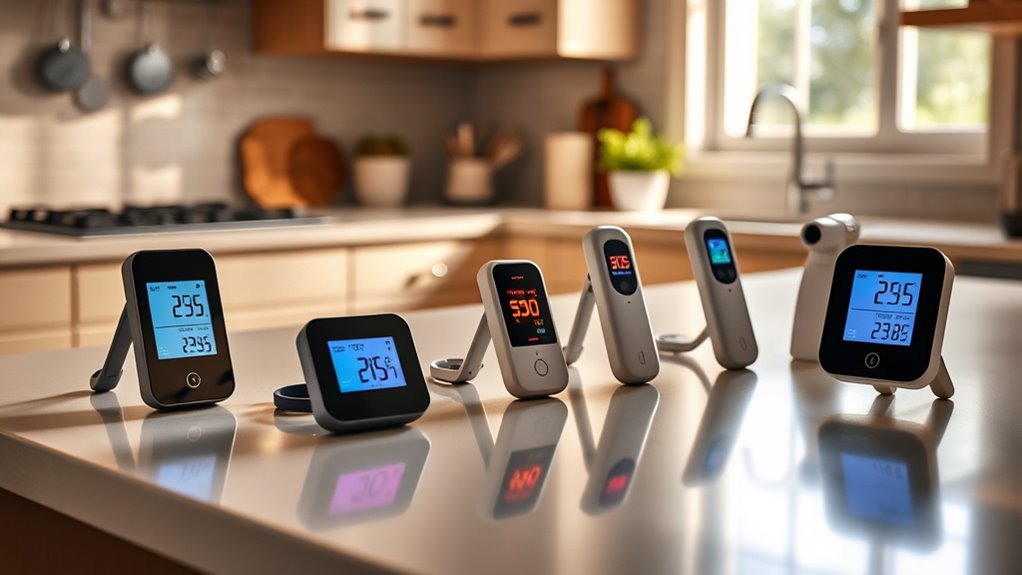
How to Connect Your Smart Appliances at Home

To connect your smart appliances at home, start by ensuring your Wi-Fi network is updated and secured. Unbox your appliances and check their compatibility with your network. Download the specific app for each appliance and follow the setup guide to connect them to your Wi-Fi. Enable voice command settings if you’re using a voice assistant. Remember to regularly check for firmware updates to keep everything functioning smoothly, and there’s more you can explore about optimizing your smart home.
Key Takeaways
- Verify appliance compatibility with your home network and check for required network protocols before unboxing devices.
- Download the appliance-specific app and follow the setup guide to connect the device to your Wi-Fi network.
- Ensure your Wi-Fi router is updated and centrally positioned for optimal signal strength throughout the house.
- Enable voice commands within appliance settings if using a voice assistant to enhance connectivity and control.
- Regularly test the connection, update firmware, and check for performance issues to maintain optimal operation.
Understanding Smart Appliances and Their Benefits
As smart technology continues to evolve, understanding smart appliances and their benefits becomes essential for modern households.
Smart appliances, like refrigerators, ovens, and washing machines, integrate with your home network to enhance convenience and efficiency. These devices can save you time by allowing remote control, offering notifications, and optimizing energy use. This integration also supports smart kitchen innovations, allowing for a more streamlined cooking experience.
For example, you can preheat your oven while you’re still at work or receive alerts when laundry is done. Additionally, many smart appliances come equipped with advanced features, like self-diagnosis, which can streamline maintenance. Furthermore, the integration of smart kitchen tech allows for personalized recipes and cooking tips, making meal preparation more enjoyable.
Preparing Your Home Network for Smart Devices
To make the most of your smart appliances, your home network needs to be ready for these connected devices. Start by confirming your Wi-Fi router is up to date and capable of handling multiple connections.
Most smart devices rely on a stable internet connection, so consider upgrading your bandwidth if you experience slow speeds. It’s also wise to create a separate network for your smart appliances to enhance security.
Enable WPA3 encryption and change the default passwords to strengthen your network. Additionally, regularly update your router firmware to protect against vulnerabilities.
Finally, positioning your router in a central location can help guarantee all your devices maintain a strong signal. With these steps, you’re set for seamless connectivity with your smart appliances.
Selecting the Right Smart Appliances for Your Needs
When picking smart appliances, think about your lifestyle and what you really need. Consider how well these devices will work with what you already have at home. Making the right choices can simplify your life and enhance your living space. Additionally, ensure that you are aware of network security protocols to protect your devices from unauthorized access. As you evaluate options, look for appliances that offer eco-friendly cooking tools to further promote sustainability in your kitchen.
Assessing Your Lifestyle Needs
How can you determine which smart appliances best fit your lifestyle? Start by evaluating your daily routines and priorities. Consider what tasks take up your time or cause frustration.
Here are some factors to keep in mind:
- Home Size: Larger homes may benefit from appliances that manage multiple rooms efficiently.
- Cooking Habits: If you love cooking, smart ovens and fridges can enhance your experience, especially with smart scales that help with precise measurements and nutritional tracking.
- Energy Efficiency: Choose appliances that align with your eco-friendly goals.
- Family Size: Larger families may need appliances with greater capacity.
- Tech Savviness: Assess your comfort level with technology to choose user-friendly devices.
Additionally, incorporating smart kitchen assistants into your routine can significantly streamline meal preparation and inspire culinary creativity.
Compatibility With Existing Devices
While evaluating smart appliances for your home, ensuring compatibility with your existing devices is essential. You don’t want to invest in a smart fridge that doesn’t work well with your home assistant or a washing machine that can’t connect to your Wi-Fi network.
Start by checking the specifications of the smart appliances you’re interested in and see if they support common protocols like Wi-Fi, Zigbee, or Z-Wave. Additionally, consider that many smart appliances can enhance your cooking experience by providing features like remote monitoring and automated cooking settings, which are crucial for streamlining kitchen tasks.
Also, consider whether the same brand’s devices offer seamless integration. Reading reviews can provide insights into other users’ experiences with compatibility.
Step-by-Step Guide to Connecting Your Appliances
Connecting your smart appliances can seem challenging, but breaking it down into straightforward steps makes it manageable.
Start by verifying your appliances are compatible with your home network. Follow these simple steps:
- Unbox your appliance and read the setup guide.
- Download the appliance-specific app on your smartphone.
- Connect your smartphone to your home Wi-Fi network.
- Open the app and follow the on-screen prompts to add your appliance.
- Test the connection by trying out a feature from the app.
Once you’ve completed these steps, your appliance should be connected and ready to use.
Keep in mind that updates may be required, so regularly check for firmware updates to guarantee peak performance.
Integrating Smart Appliances With Voice Assistants

Integrating your smart appliances with voice assistants can make your home even more convenient. You’ll want to start by ensuring you’ve selected compatible devices and setting up voice control effectively. This way, you can easily manage your appliances with just your voice. Additionally, leveraging hands-free recipe guidance can greatly enhance your cooking experience by providing assistance while you multitask in the kitchen.
Setting Up Voice Control
Voice control is a game-changer for managing smart appliances in your home, offering convenience and hands-free operation.
To set up voice control, follow these key steps:
- Choose a voice assistant: Pick one that suits your needs, like Amazon Alexa or Google Assistant.
- Connect your devices: Use the corresponding app to connect all smart appliances.
- Enable voice control settings: Some appliances require you to enable voice commands in their settings.
- Create routines: You can set routines to automate tasks, like turning on lights or adjusting the thermostat with a single command.
- Test your setup: Make sure everything works as expected by issuing a few test commands.
With these steps, you’ll make controlling your smart home effortless!
Compatible Device Selection
Having set up voice control for your smart appliances, the next step is ensuring those devices are compatible with your chosen voice assistant. Most major smart home devices, like smart bulbs, thermostats, and speakers, will work seamlessly with popular assistants such as Alexa, Google Assistant, or Siri.
Check the manufacturer’s website or packaging for compatibility details. It’s also helpful to browse through compatibility lists provided by your voice assistant, as they often categorize devices by functionality.
Once you’ve identified compatible devices, you can easily integrate them into your smart home ecosystem. Don’t forget to install the respective apps for these devices, as this can simplify setup and management within your voice assistant’s interface.
Happy connecting!
Troubleshooting Common Smart Appliance Connection Issues
While connecting smart appliances can enhance your home’s convenience, you might run into some common issues along the way.
Connecting smart appliances can greatly improve home convenience, but be prepared for some typical challenges.
Here are a few troubleshooting tips to help you get back on track:
- Check your Wi-Fi signal: Make sure you have a strong connection near your appliances.
- Restart devices: Power cycling your appliances and router can often fix connectivity problems.
- Update firmware: Verify your smart appliances are on the latest software version.
- Reconfigure network settings: Sometimes, reinstalling the device in your app can resolve connection issues.
- Check compatibility: Confirm that your appliance is compatible with your smart home platform. Smart appliances can also contribute to energy efficiency in your home by optimizing usage.
Additionally, consider how space-saving appliances can help to optimize your home setup while integrating smart technology.
Questions
Can I Control Smart Appliances Remotely When Away From Home?
Absolutely, you can control smart appliances remotely! It’s amazing how convenient technology is these days. Just make sure your devices are connected to Wi-Fi, and you’ll have full access no matter where you are!
How Do Smart Appliances Affect My Electricity Bill?
Smart appliances can actually lower your electricity bill by optimizing energy use. They adjust operation based on your habits and peak times, helping you save money. So, it’s worth considering their long-term benefits for efficiency.
Are Smart Appliances Secure From Hacking?
When it comes to security, smart appliances can be a double-edged sword. They’re often vulnerable to hacking if not properly secured. Updating software and using strong passwords can help keep your devices safe.
Do Smart Appliances Work During Internet Outages?
Not all smart appliances function during internet outages. Many rely on cloud connectivity for features and control. However, local settings may still work, enabling basic tasks like brewing coffee or running a washing machine.
Can Multiple Users Control the Same Smart Appliance?
Yes, multiple users can control the same smart appliance. Imagine all of you triggering its functions remotely—pretty cool, right? Just make certain everyone’s connected and granted access; then the fun begins!