Integrating Alexa or Google Assistant in Your Kitchen

Integrating Alexa or Google Assistant in your kitchen makes cooking easier and more efficient. You can access recipes hands-free, set timers, and control smart appliances with simple voice commands. Adding grocery items or checking your list is a breeze, and you can even create personalized routines to streamline meal prep. Plus, using voice control enhances safety. Want to know about specific voice commands and more tips? There’s a lot you can do to maximize your smart kitchen!
Key Takeaways
- Set up your voice assistant by connecting it to Wi-Fi and customizing settings through the Alexa or Google Home app.
- Use voice commands to access recipes, set timers, and manage cooking tasks hands-free for a more efficient kitchen experience.
- Easily create and manage grocery lists through voice input, streamlining the shopping process without manual writing.
- Control smart appliances with voice commands, simplifying cooking and allowing multitasking while preparing meals.
- Enhance kitchen safety by using voice commands for lighting and emergency services, keeping your hands free and focused on cooking.
Benefits of Voice Assistants in the Kitchen
Integrating a voice assistant in your kitchen can transform your cooking experience in several ways. First, you can access recipes hands-free, letting you follow instructions without pausing to wash your hands. Just ask for the next step, and you’ll stay organized and focused.
Second, it’s easy to set timers; simply say, “Set a timer for 15 minutes,” which saves you time and prevents burnt meals. Additionally, you can add ingredients to your shopping list or ask for meal suggestions based on what’s in your fridge, simplifying meal prep.
Finally, controlling smart appliances is a breeze—adjust your oven temperature or turn on lights with a command. Overall, a voice assistant makes cooking more enjoyable and efficient.
Setting Up Your Smart Assistant
Setting up your smart assistant can be a straightforward process that enhances your kitchen experience.
First, choose a suitable device, like an Amazon Echo or Google Nest Hub, and plug it in. Download the corresponding app—Alexa or Google Home—on your smartphone.
Next, create an account or log in if you already have one. Follow the in-app instructions to connect your assistant to your Wi-Fi network, ensuring it has a reliable internet connection.
Create an account or log in, then follow the app’s instructions to connect your assistant to Wi-Fi for a reliable connection.
Once connected, you can customize settings, enable features, and link compatible smart kitchen devices.
Consider setting your assistant up in a location with good voice recognition.
With everything ready, you’re now prepared to enjoy the benefits of hands-free assistance while cooking and multitasking in your kitchen.
Voice Commands for Recipe Management
When you’re in the kitchen, voice commands can make managing recipes a breeze. You can easily add new recipes, get step-by-step cooking guidance, and even plan your meals. Additionally, using smart assistants can help you control kitchen appliances with ease, further streamlining your cooking experience with just your voice. Let’s explore how you can streamline your cooking experience with just your voice.
Adding Recipes Easily
Although managing recipes can feel overwhelming, using voice commands with Alexa or Google Assistant simplifies the process immensely. You can easily add new recipes to your digital recipe box just by speaking.
Say, “Hey Alexa, add a recipe for chocolate chip cookies,” and it’ll instantly save your recipe. Want to tweak a classic? Just tell it what changes you need, like substituting almond flour for wheat flour, and your assistant will remember that when you ask for it next time.
Plus, you can create custom categories like “quick dinners” or “holiday treats” simply by asking. Utilizing voice commands helps you keep everything organized without the hassle, allowing you to focus on cooking and enjoying your meals.
Step-by-Step Cooking Guide
A step-by-step cooking guide becomes effortless with the help of voice commands from Alexa or Google Assistant. Simply say, “Alexa, start my recipe” or “Hey Google, open my cooking instructions,” and you’re ready to go.
As you work through the steps, you can ask your assistant to repeat a specific step or give you more details if needed. If you realize you’ve missed an ingredient, just say, “What do I need next?” This allows you to stay focused on cooking rather than checking your screen. Incorporating multifunctional cookers into your routine can also save you time in meal preparation.
Plus, you can set timers hands-free by saying, “Set a timer for 10 minutes.” With these voice commands, you’ll streamline the cooking process, making it more enjoyable and efficient! Additionally, using innovative kitchen gadgets can further enhance your culinary experience by simplifying meal preparation.
Meal Planning Assistance
To make meal planning a breeze, you can easily utilize voice commands with your smart assistant.
Just say, “Hey Google, what’s for dinner tonight?” to get quick meal suggestions based on what you have on hand. You can create shopping lists by saying, “Alexa, add chicken and broccoli to my grocery list,” ensuring you never forget the essentials.
If you want to explore new recipes, try asking, “Alexa, find me a vegetarian lasagna recipe.” For dietary restrictions, simply specify, “Google, show me gluten-free meals.”
With these simple commands, you can streamline your meal planning and make it more enjoyable. So, let your voice do the talking and turn meal planning into a stress-free experience.
Creating a Smart Meal Prep Routine

Streamlining your meal prep can be a game-changer, and using voice-activated recipe assistance makes it easier than ever.
Imagine getting meal planning reminders or hands-free recipe guidance while you cook.
Let’s explore how these smart tools can help you create a more efficient kitchen routine. Additionally, integrating smart kitchen technology into your cooking process not only enhances convenience but also elevates your overall culinary experience.
Voice-Activated Recipe Assistance
How can voice-activated technology transform your meal prep routine? Imagine effortlessly asking your smart assistant for step-by-step recipe guidance while you chop vegetables or measure ingredients. It streamlines your cooking process, making you feel like a pro. Additionally, connecting smart appliances can create a more interconnected home environment that enhances your cooking experience.
Here’s how:
| Action | Benefit |
|---|---|
| Ask for a recipe | Instant access to hundreds of options |
| Set timers | Multitasking made easy |
| Convert measurements | No math hassles |
| Play music | Create an enjoyable cooking atmosphere |
| Voice reminders | Keep you on task without disruption |
With voice-activated assistance, you can focus on creating delicious meals without the stress. You’ll save time and enjoy the process, making your kitchen a fun, efficient space.
Meal Planning Reminders
Voice-activated technology not only enhances your cooking experience but can also help you stay organized with meal planning reminders.
By integrating Alexa or Google Assistant, you can create a smart meal prep routine that keeps you on track. Here’s how:
- Set Weekly Meal Plans: Schedule specific meals for each day of the week to streamline your grocery list.
- Receive Timed Reminders: Get alerts to prep ingredients or cook meals at the right time, ensuring you never forget a step.
- Track Freshness: Use voice commands to remind you of ingredients that need to be used soon, reducing waste.
- Adjust Portions Easily: Ask about portion sizes based on your family’s preferences and adjust your meal plans accordingly. Regularly checking your refrigerator’s condition and seals can also help maintain the optimal environment for your meal-prepped ingredients and reduce temperature fluctuations.
Additionally, keeping an eye on refrigerator maintenance can help you store your meal-prepped ingredients safely and efficiently.
Embrace these features to simplify your meal planning!
Controlling Smart Appliances With Your Voice
As you step into the modern kitchen, the ease of controlling your smart appliances with just your voice can transform your cooking experience.
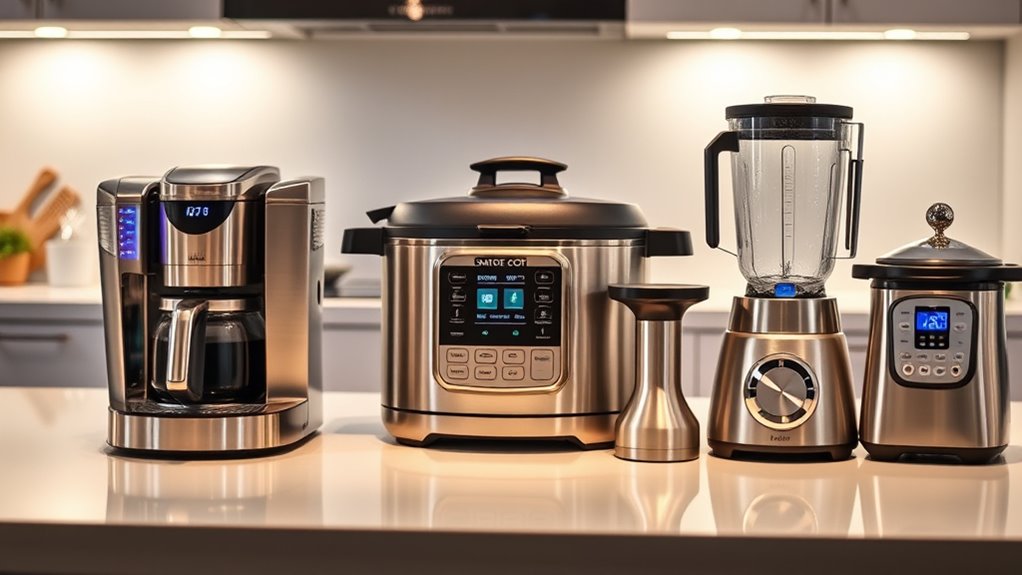
Simply tell your smart speaker to preheat the oven, and it’ll take care of the rest. You can adjust your coffee maker or activate the blender hands-free, making multitasking in the kitchen a breeze.
Plus, with routines, you can set your appliances to work simultaneously—like turning on the lights, starting the dishwasher, and playing your favorite cooking playlist with one command.
Whether you’re busy chopping veggies or kneading dough, voice control keeps everything running smoothly. You’ll find that cooking becomes more enjoyable when all it takes is a simple verbal command to handle your smart appliances.
Managing Timers and Reminders Seamlessly
While you’re busy preparing a meal, managing timers and reminders can feel like an intimidating task, but with Alexa or Google Assistant, it’s as simple as asking.
Here’s how you can make your cooking experience smoother:
- Set multiple timers – Just say, “Set a timer for 10 minutes,” and easily manage several at once.
- Label your timers – Specify timers by naming them, like “pasta timer” or “oven timer,” to keep track.
- Get reminders – Use phrases like, “Remind me to check the oven in 20 minutes,” for ideal cooking results.
- Adjust timers – If you need more time, just say, “Add 5 minutes,” without missing a beat in your cooking flow.
These features turn hectic kitchen moments into organized ones!
Integrating Grocery Lists and Shopping
When it comes to grocery shopping, using voice commands with Alexa or Google Assistant can make the process a breeze.
You can quickly add items to your shopping list without lifting a finger, plus syncing with popular grocery apps keeps everything organized.
Let’s explore how these smart assistants can transform your grocery shopping experience.
Voice Commands for Shopping
How can voice commands revolutionize your grocery shopping experience? By integrating Alexa or Google Assistant, you can streamline your grocery list management with ease.
Instead of jotting down items, you can simply speak your needs aloud. Here’s how:
- Add items: Say, “Add milk to my grocery list,” and watch it populate automatically.
- Delete items: If you change your mind, just say, “Remove apples from my list.”
- Check your list: Ask, “What’s on my grocery list?” to guarantee you haven’t forgotten anything.
- Categorize needs: Utilize commands like, “Organize my list by categories,” to simplify your shopping trip.
Incorporating voice commands makes grocery shopping straightforward and hands-free, leaving you with more time to enjoy cooking! Additionally, this approach aligns with the trend of smart kitchen appliances that enhances the cooking experience even further.
Syncing With Grocery Apps
Integrating Alexa or Google Assistant with popular grocery apps can transform how you manage your shopping lists. By syncing your voice assistant with apps like AnyList, Todoist, or Google Keep, you can easily add items to your grocery list just by speaking.
When you’re in the middle of cooking, you can say, “Add more tomatoes,” and it’ll be automatically updated. Additionally, you can access your list hands-free while shopping, which means no fumbling through your phone.
If you find an item on sale, just ask your assistant to remove it from the list. With these integrations, grocery shopping becomes more efficient, letting you focus on your culinary creations without the hassle of managing paper lists or forgetting essentials.
Enhancing Kitchen Safety With Voice Control
Have you ever considered how voice control can transform your kitchen safety? Integrating Alexa or Google Assistant allows you to keep your hands free while ensuring a secure cooking environment.
Voice control with Alexa or Google Assistant can significantly enhance kitchen safety, keeping your hands free for a secure cooking experience.
Here are four ways to enhance safety with voice control:
- Manage Appliances: Turn off potentially dangerous appliances, like the stovetop or oven, with simple voice commands.
- Timer Alerts: Set cooking timers easily, preventing burning or overcooking food.
- Emergency Calls: Instantly call emergency services if an accident occurs without needing to search for your phone.
- Lighting Control: Control kitchen lights hands-free to avoid accidents in dimly lit spaces.
Additionally, using these voice-controlled tools can significantly improve efficiency in the kitchen, allowing you to focus on cooking while maintaining a safe environment.
Customizing Your Smart Kitchen Experience
As you embrace the convenience of smart technology in your kitchen, personalizing your experience can make all the difference. You can customize settings for meal prep, grocery lists, or even music, ensuring the perfect ambiance while you cook. Consider integrating specific skills or routines tailored to your cooking style.
Here’s a table to help you explore customization options:
| Customization Option | Description |
|---|---|
| Cooking Routines | Set daily cooking reminders |
| Grocery Lists | Voice-enabled shopping list creation |
| Recipe Skills | Access specialized cooking guides |
| Kitchen Reminders | Setup timers for various dishes |
| Smart Lighting | Adjust lighting for different tasks |
Troubleshooting Common Issues With Smart Assistants
While smart assistants like Alexa and Google Assistant can enhance your kitchen experience, you might occasionally encounter issues that disrupt their functionality.
Here are some common problems and how to troubleshoot them:
- Connectivity Issues: Confirm your device is connected to Wi-Fi. Restart your router if necessary.
- Voice Recognition Problems: Speak clearly and consider adjusting the device’s position for better sound quality.
- Device Not Responding: Check if the assistant is muted or try unplugging it for a minute before plugging it back in.
- Integration Failures: Verify that your smart appliances are compatible and their apps are up-to-date.
Questions
Can I Use Alexa or Google Assistant Without an Internet Connection?
Nope, you can’t use Alexa or Google Assistant without an internet connection. Imagine a world where they’re silent like lost robots, unable to help you turn on lights, play tunes, or answer your burning questions!
Are There Privacy Concerns With Voice Assistants in the Kitchen?
Yes, there’re privacy concerns with voice assistants in your kitchen. They might listen to conversations unintentionally, and data can be stored or shared. It’s crucial to review settings and understand how your information’s being used.
How Do I Change the Wake Word for My Voice Assistant?
Imagine you’ve just burned dinner and want the assistant’s help. To change the wake word, open the app, go to settings, select “Voice Wake Word,” and choose your preferred option—like “Computer” or “Hey Google.”
Can I Use Voice Assistants for Cooking Measurements and Conversions?
Yes, you can absolutely use voice assistants for cooking measurements and conversions! Just ask questions like, “What’s 2 cups in ounces?” or “Convert 450 degrees Fahrenheit to Celsius,” and they’ll provide you with quick, accurate answers.
What if My Smart Appliances Are Not Compatible With My Voice Assistant?
If your smart appliances aren’t compatible, don’t worry! You can still use them manually. Consider upgrading to compatible devices or explore third-party solutions that bridge the gap with voice assistants for easier integration.